Why? Explanations
Every row on the Smart Reorder page has a Why? button. Click it to see, in plain words, how the recommendation for that product was made. The explanation uses the same numbers as the table, in your app language.
What the window shows
Sections without anything to say are hidden.
Why should I order this? (or Why no order is needed for Healthy, Overstock and No sales products)
- The reason for the status, for example At the current sales speed, stock runs out before a new order can arrive.
- The average daily sales and the units sold in the last 30, 60 and 90 days.
- The sales trend, when sales changed by 10% or more compared with the previous 30 days.
- How many of the last 30 days the product was out of stock. Those days aren't counted in the sales speed.
Why now?
- How many days the current stock lasts.
- The lead time and where it comes from: supplier setting or shop default.
- Units already on the way on open purchase orders.
Why this quantity? The calculation step by step, for example:
- Target stock = 1.94/day × (14 lead time days + 30 order cycle days) + 14 safety stock = 99.
- Capped at the max stock set in Locations, or Raised to the min stock set in Locations, when that applies.
- Minus 5 on hand and 0 incoming = 94.
- Rounded up to the supplier pack size (12) and minimum order quantity (100).
- Recommended quantity: 100.
Why this supplier?
- Only supplier assigned to this product, Supplier used in your most recent purchase order, Lowest price among the suppliers of this product, or Several suppliers without a price or purchase history. The first one is used.
- A note when the supplier has no cost price for this product yet.
What happens if I don't order?
- If you do not order today, you may run out around (date) and lose about (amount) in sales.
- Or, when there's still time: No lost sales expected if you order within the next N days.
At the bottom, a table sums up the facts: sold in the last 30/60/90 days, days out of stock, on hand, incoming, lead time, order cycle and recommended quantity. With a custom sales period, it also shows Sold in selected period and Days counted.
With a custom sales period or planning days
When you use a custom sales period or planning days, the explanation follows them.
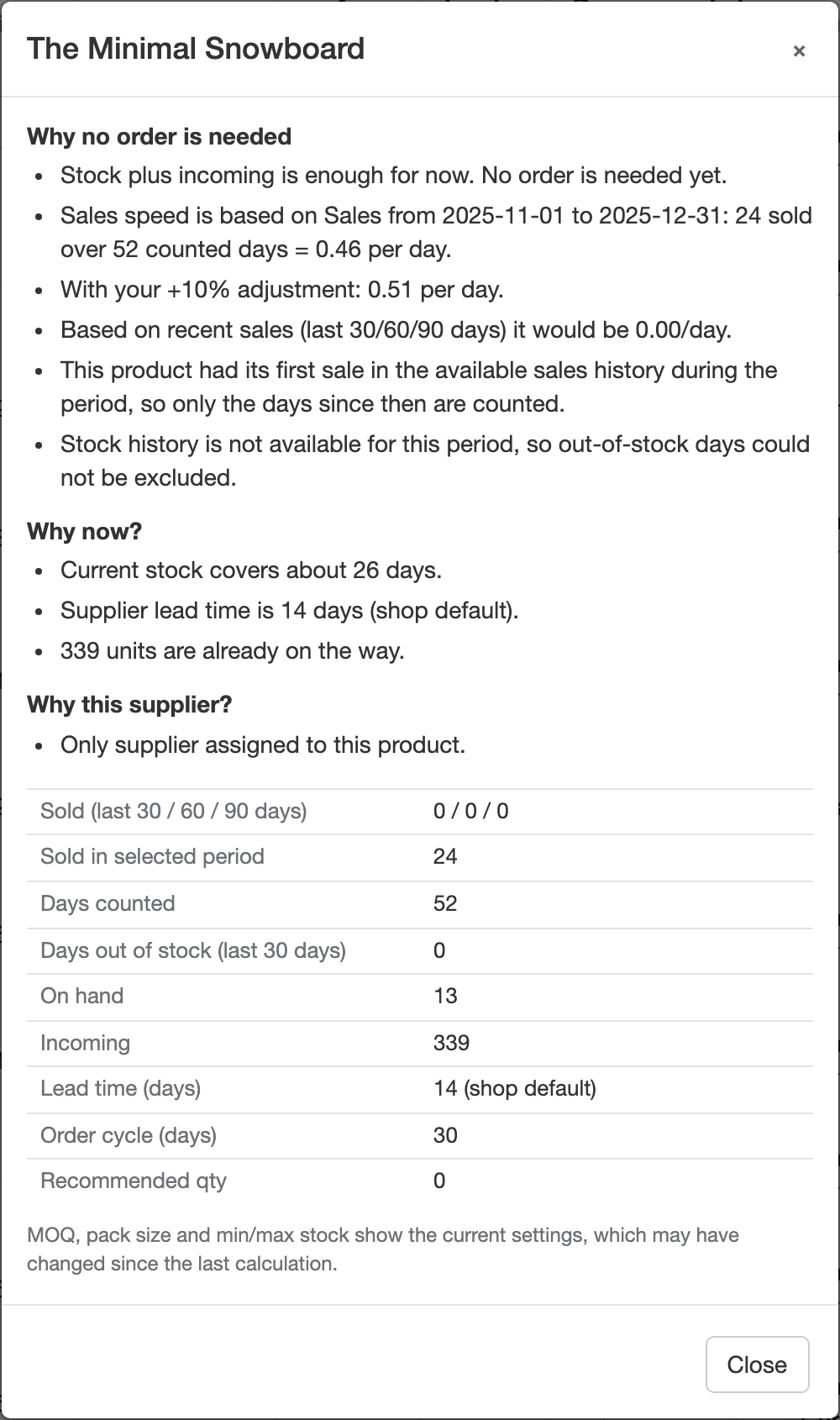
Why should I order this?
- Where the sales speed comes from: Sales speed is based on Sales from 2025-11-01 to 2025-12-31: 120 sold over 60 counted days = 2.00 per day. (counted days = days in stock, at least 7)
- With your +10% adjustment: 2.20 per day., when you entered an adjustment.
- Based on recent sales (last 30/60/90 days) it would be 1.40/day., for comparison.
- This product had its first sale in the available sales history during the period, so only the days since then are counted.
- Stock history covers 40 of 61 days of this period. Out-of-stock days on the other days could not be excluded. (or Stock history is not available for this period…)
- This product was not on sale during the selected period, so its recent sales speed is used., and The +10% adjustment is not applied to this product because its recent sales are used.
- No sales in the selected period, but it sells 0.80/day now. If it was out of stock or hidden then, order based on recent sales: about 25 units.
- With planning days: Stock plus incoming will not last the 60 days you plan for.
The sentence Average daily sales … (sold … in the last 30 / 60 / 90 days) is only shown when the speed really comes from recent sales.
Why now?
- Supplier lead time (90 days) is longer than your 60-day plan. Goods ordered today arrive after the plan ends, so this order will not prevent running out during it.
Why this quantity? With planning days, in the order the app works it out:
- Stock needed for your plan = 5.00/day × 60 planned days + 35 safety stock = 335.
- Capped at the max stock set in Locations: 100. and/or Raised to the min stock set in Locations: …, when that applies.
- Final target after your min/max stock settings: 100.
- Your min/max stock settings cap the target at 100 units, enough for about 13 days after safety stock - less than your 60-day plan. Check min/max stock in Locations if you want to cover the full plan.
- Minus … on hand and … incoming = …, then rounding to pack size and MOQ.
- Rounded up to the supplier's minimum order or pack size, so stock after this order (500) will be above your max stock (100)., when rounding pushes the stock over your max stock. This one can also show without planning days.
- Recommended quantity: …
MOQ, pack size and min/max stock in the explanation are read when you open the window. If you changed them after the last calculation, click Recalculate first so the explanation matches the table.